…
Let’s talk about one of those business admin jobs nobody starts a business for… Invoices.
You didn’t become a freelancer, designer, consultant, photographer, tradesperson, or creative because you dreamed of chasing payments, formatting spreadsheets, and wondering whether “Invoice FINAL v3 REALLY FINAL.xlsx” was actually the final one.
And yet, invoicing is one of the most important parts of running a business. Because if you don’t invoice properly, you don’t get paid properly.
Over the years, I’ve tried various systems, spreadsheets, templates and approaches. Some were overcomplicated. Some cost more than they were worth. Some felt like they were designed for a finance department of 50 people rather than a freelancer working from the kitchen table with a cup of coffee. Then I discovered Zoho Invoice.
And honestly? It’s one of those lovely pieces of software that just quietly does exactly what it needs to do. And I’ve tried those fancy herb releted ones!
Free Doesn’t Always Mean Basic
One of the biggest misconceptions around business software is that “free” means limited, clunky, or covered in adverts. Not always. Zoho Invoice is free for freelancers and small businesses sending under 500 invoices per year. Yes, your invoice has a little Zoho branding at the bottom. And do you know what? I’m completely fine with that.
Because if a small logo at the bottom of my invoice means I get access to professional invoicing software, payment options, reminders, reporting and mobile access without another monthly subscription leaving my bank account, that feels like a pretty good deal. Sometimes we get so focused on having everything branded perfectly that we forget the bigger picture. A professional, accurate invoice that gets paid is far more important.
The Four Seasons of Business Admin… I think about invoicing in four stages throughout the year.
Spring: Setting Up Your Foundations
When you first start freelancing, invoicing often gets pushed aside. You might have: A Word document template; A spreadsheet; A note somewhere with invoice numbers and A folder called “Accounts” that you’re slightly scared to open.
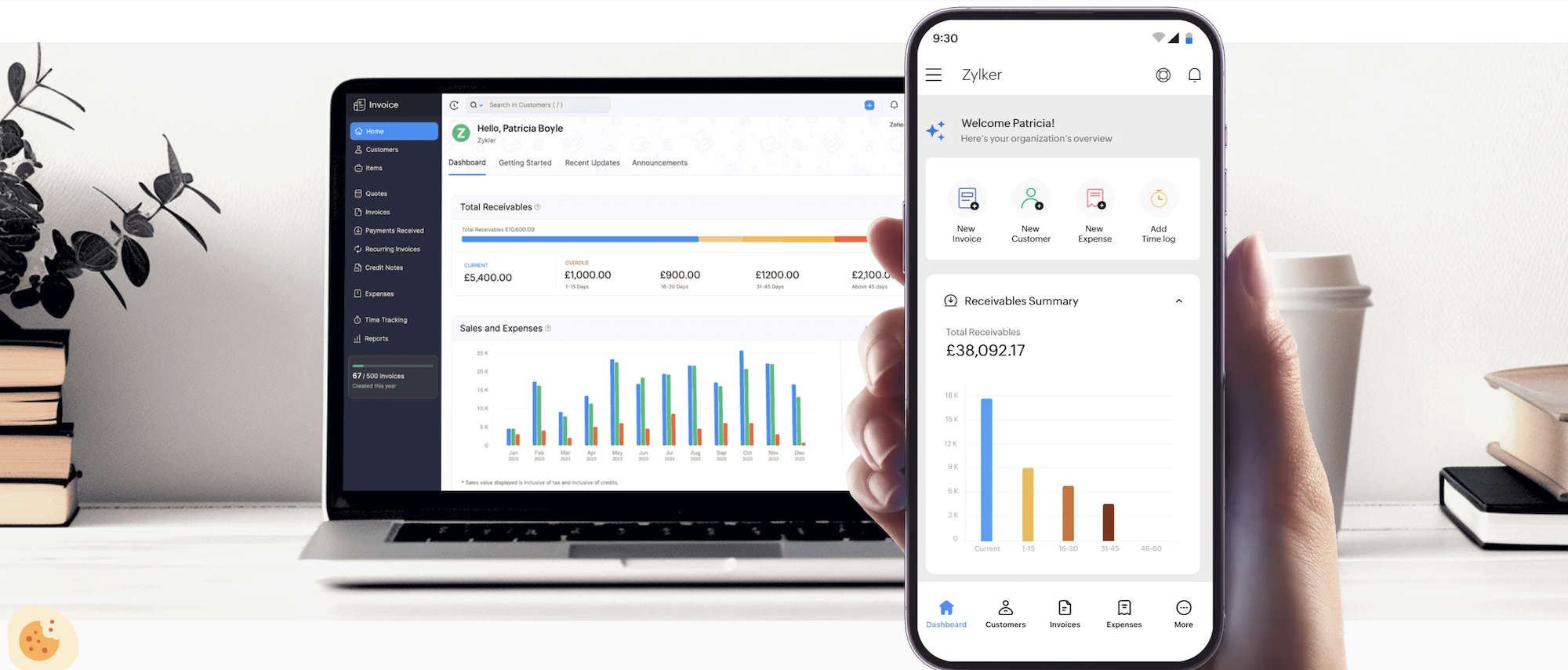
Sound familiar? A proper invoicing system gives you structure from day one. With Zoho Invoice, you can: Create professional invoice templates; Add your business details; Save customer information; Automatically number invoices and Email invoices directly to clients. It takes away the admin headache.
Summer: Getting Paid Without The Awkward Chasing
This is where good invoicing software earns its keep. Because sending an invoice is only half the job. Getting paid is the other half. Zoho Invoice allows customers to pay through online payment options including PayPal and Stripe.
That means clients don’t have to: Find your bank details; Log into online banking and Copy and paste payment references. They can simply click and pay. The easier you make payment, the more likely people are to actually do it.
It also sends overdue reminders. Which is brilliant. Although slightly painful when the reminder goes out and you realise your lovely automated system is doing the awkward chasing for you. Sorry clients!
Autumn: Understanding Your Numbers
One of the biggest mistakes freelancers make is only looking at their accounts when tax season arrives. Your business data is useful all year round. Zoho Invoice provides reports that help you understand: Income; Outstanding invoices; Customer history and Payment patterns. When it comes to preparing for your tax return, having organised records makes life considerably easier. Future you will be very grateful.
Winter: Year End and Planning Ahead
Year end doesn’t need to be a panic. A good system means you’re not hunting through emails trying to remember: “Did I invoice them?”; “Did they pay?” or “Where is that receipt?”
There are also mobile apps available, which makes keeping track of things while you’re out and about much easier. Taking a quick photo of an expense receipt while you’re having your coffee is far easier than discovering a crumpled collection of receipts six months later.
What About Making Tax Digital?
This is where many small businesses are understandably asking questions. With changes coming around Making Tax Digital (MTD), it’s important to understand what your own requirements will be and what your accountant recommends.
Software choices may need to change depending on how your business operates, what records you need to maintain, and how you submit information.
Zoho Invoice itself is fantastic for invoicing and payment management, but it’s worth checking whether you need additional accounting functionality as your business grows. Sometimes the best software is the one that does one job brilliantly.
Do You Need Full Accounting Software?
Not every freelancer needs a huge accounting package. If you are: A sole trader; A freelancer; A small service business and / or Sending a manageable number of invoices. Then a simple invoicing system might be exactly what you need. Don’t buy complicated software just because everyone else says you should. Buy what solves your actual problem.
Running a small business means wearing a lot of hats: Marketing manager; Customer service team; Finance department and Coffee maker? The last thing you need is unnecessary admin stress. For me, Zoho Invoice is one of those rare pieces of software that feels designed with small businesses in mind. It’s simple, professional, accessible and (for now) free. And sometimes, the best business tools aren’t the flashiest ones. They’re the ones that quietly help you get the job done. And get paid. Which, ultimately, is the whole point.
…