

…
Have you noticed Google looking a bit more… visual lately?
Search for a business and—alongside the usual page title and (Meta) description—you’ll often see a small image thumbnail sitting neatly to the side. Sometimes it’s your logo, sometimes a photo from your site, and occasionally… something completely random that makes you question your life choices.
So what’s actually going on? And more importantly, can you control what shows up? Let’s break it down.

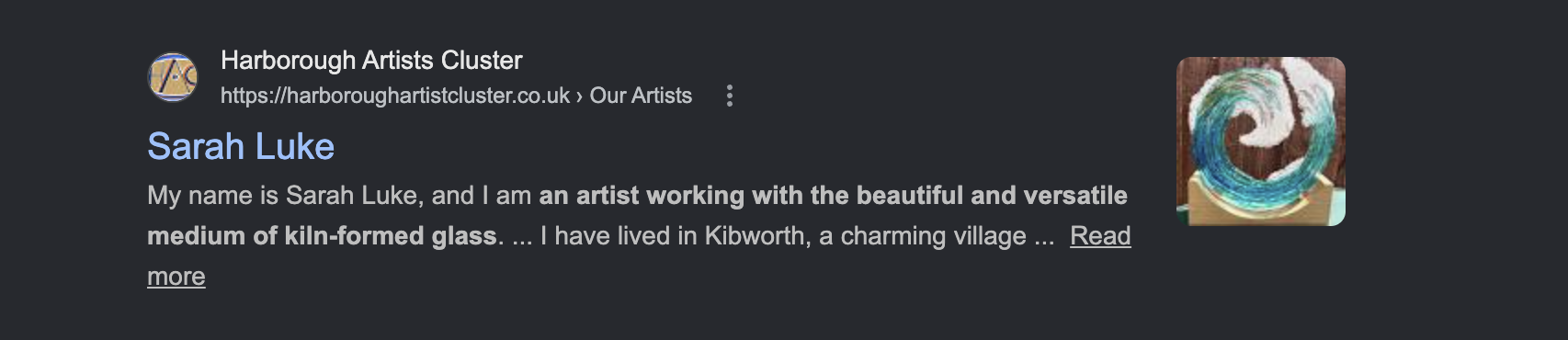
Why Google Shows Thumbnails in the First Place
Search engines like Google are constantly trying to improve how quickly users find what they’re looking for. Thumbnails are part of that.
They help:
- Make search results more visually engaging
- Give users a quick “preview” of a website
- Reinforce brand recognition (logos, colours, style)
- Improve click-through rates
In simple terms, Google is trying to answer the question: “Which result looks most useful and trustworthy?” Images help with that decision.
Where Do These Images Come From?
Google doesn’t just pick images at random (even if it sometimes feels like it).
It pulls them from a few key places on your website:
- Images Embedded on the Page. If your page contains clear, relevant images—especially near the top—Google may use one of these as a thumbnail.
- Featured Images (WordPress). If you’re using WordPress, your **featured image** is a strong candidate. It’s structured, consistent, and easy for search engines to identify.
- Structured Data (Schema Markup). If your site includes schema (often handled by plugins like Yoast SEO), you can explicitly define an image associated with a page or article. This is one of the more reliable ways to guide Google.
- Open Graph Tags. Originally designed for social sharing (like Facebook), Open Graph images can also influence what Google sees as a representative image.
- Google Business Profile. If someone is searching your business name, images from your Google Business Profile can also come into play—especially logos and branded visuals.
Why You Don’t Always Get to Choose
Here’s the slightly frustrating truth: You can influence thumbnails—but you can’t fully control them. Google ultimately decides which image best fits the search result based on: Relevance to the query; Image quality and size; Context on the page; Page layout and positioning; and User behaviour signals. So even if you have a perfect image ready to go, Google might still pick something else if it thinks it’s more helpful. Yes, that includes the occasional rogue image.
How to Improve Your Chances (Without Losing Your Mind)
While you can’t dictate the exact image, you can absolutely stack the odds in your favour: Use a Strong Featured Image; Every page and blog post should have a clear, relevant featured image. This is your best starting point. Keep Images High Quality; Blurry, tiny, or oddly cropped images are less likely to be used. Aim for: Good resolution; Clean composition and Clear subject matter.
Place Images Near the Top: Images that appear early in the page content are more likely to be picked up. Use Descriptive Alt Text: Alt text helps search engines understand what the image is about. Example: “Interior design consultation in Leicester studio space” Not: “image123.jpg” and Keep Branding Consistent; Logos, colours, and style matter. Over time, Google begins to associate visual identity with your brand.
Why This Matters for Your Business
This isn’t just a cosmetic feature.
Thumbnails can:
- Increase visibility in crowded search results
- Improve click-through rates
- Reinforce brand recognition
- Make your listing look more professional and trustworthy
It’s a small detail—but in digital marketing, small details often make a big difference.
The Bottom Line
Google’s thumbnails are part of a bigger shift toward more visual, user-friendly search results. You don’t get full control—but you do have influence. If your website is: Well-structured; Visually consistent and Using proper images and metadata …then you’re already doing most of what’s needed. And if nothing else, it’s a very good reason to retire that one slightly questionable stock image that’s been lurking on your homepage since 2017.