
Google My Business. Google Business Profile. Google Local. Google Plus+. Google Maps. Whatever you still call it, getting your business properly verified with Google is one of those jobs that sounds incredibly simple until Google starts asking you to prove that your business actually exists.
And yes, I help with this. Because I rather like a verified Google Business Profile.
Why bother with Google My Business?
Well, firstly, it makes your business look legitimate.
Your Google Business Profile can appear in Google Search and Google Maps, giving potential customers your business name, website, phone number, opening hours, reviews (very important), photographs and location or service area.
But there’s something else I like about it. Authenticity.
I’ve talked before about businesses hiding behind stock photography, vague “about us” pages and mysterious companies where you have to go digging through Companies House and LinkedIn to work out who is actually behind the business.
Google Business Profile is another little bit of digital evidence that says: Yep. This is a real business. Google wants to verify that too. You need to verify your profile before you can properly manage the information customers see.
So, how do you get verified with Google Local?
This is where I get involved. You claim or create your Business Profile, make sure the information is correct and then Google tells you which verification options are available. And here’s the important bit: You don’t necessarily get to choose. Google determines the verification methods available for your particular business. Depending on the business and circumstances, this might include phone or text, email, video, or verification by post.
And yes… The postcard still exists! If Google offers you verification by mail, a postcard containing a verification code is sent to your business address. Google says most arrive within 14 days.
When it arrives, you enter the code and, hopefully, we’re in business. Don’t change your business name, address or category while you’re waiting, though, because that can invalidate the code.
I’ve always found the postcard method rather satisfying. There is something wonderfully old-school about Google saying, “Prove you exist. We’ll send you a bit of paper.”
“But I work from home!”
This is where things get interesting. If you are a service-based business and don’t actually receive customers at your home, Google allows you to set yourself up as a Service Area Business and hide your residential address from public view. You can instead show the areas you serve.
And I completely understand not wanting your home address displayed online.
But please don’t confuse keeping your home address private with having no proper business presence whatsoever.
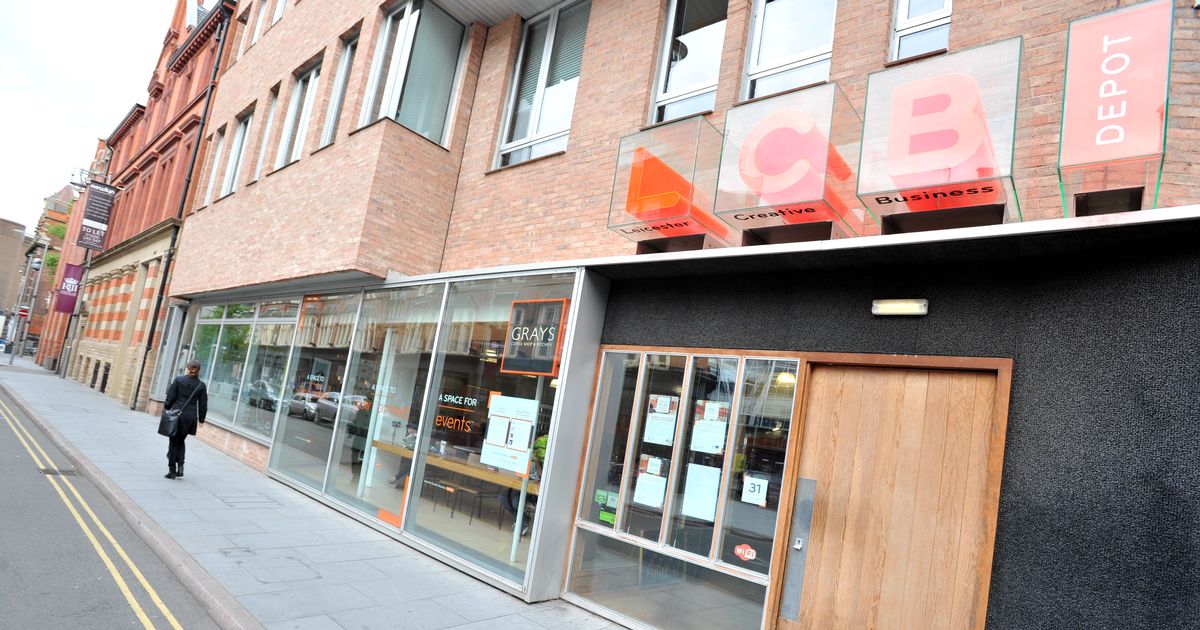
If you want a genuine business location, there are business centres (Like the LCB Depot in Leicester), co-working spaces and innovation centres around. Just make sure the location genuinely meets Google’s rules — a random PO Box or virtual mailbox isn’t a shortcut to Google verification. Google specifically excludes PO Boxes and remote mailboxes, and virtual offices aren’t generally eligible unless they meet its requirements.
There are legitimate options out there.
Don’t hide. Just do it properly. And if you’re staring at your Google Business Profile wondering what on earth Google wants from you…
Give me a shout. Need your business verified by Google? I got you.