
…
As a business owner, having a clean, memorable URL for your Facebook Business Page is essential. It makes it easier for customers to find you and looks more professional. Fortunately, changing the URL (also known as your username) of your Facebook Business Page is a straightforward process, but it’s important to do it right to maintain a seamless brand identity.
In this guide, I’ll walk you through the steps to change your Facebook Business Page URL, ensuring your social media presence is polished and accessible.
Why You Might Want to Change Your Facebook Page URL?
Before we dive into the “how,” let’s explore why it matters. Your Facebook Business Page URL is part of your brand’s online identity. It’s what people type into their browser’s address bar to find your page.
For example:
– Old URL: facebook.com/pages/Let-Me-Organise-You/123456789
– New URL: facebook.com/LetMeOrganiseU
Not only is the new one cleaner, but it’s also easier for your customers to remember and trust.
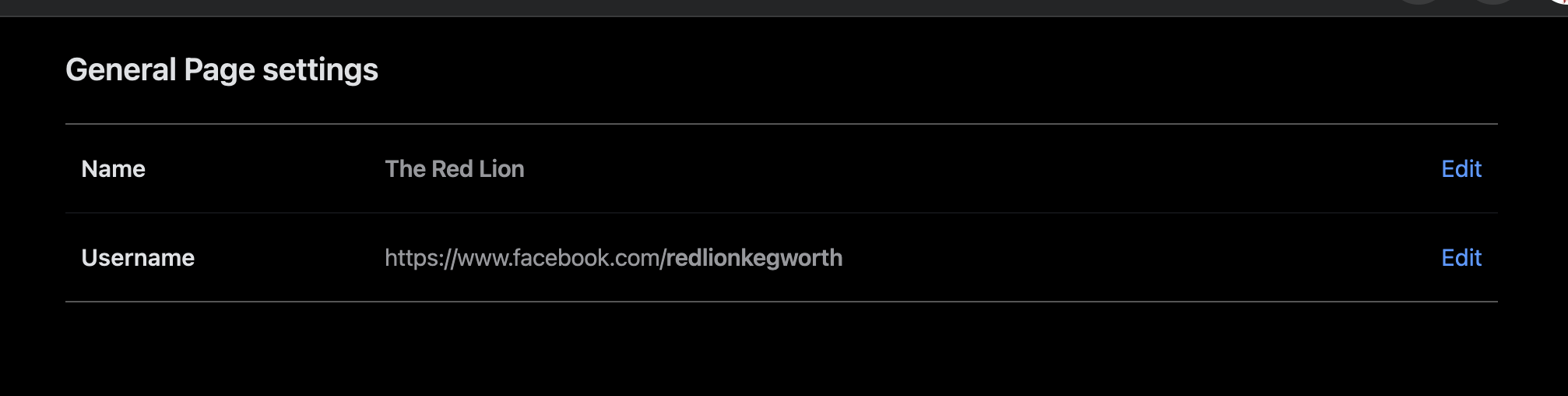
Step-by-Step Guide to Changing Your Facebook Business Page URL
Here are the simple steps to update your Facebook Page URL:
1. Log into Facebook: Make sure you’re logged into the (person) account that manages your business page.
2. Access Page Settings:
– On your business page, look for the “Settings” icon in the top right corner.
– Click on it and select “Settings & Privacy”.
3. Find Page Setup:
– From the left-hand sidebar, select “Page Setup”.
4. Change Your Username:
– Under “Name,” you will see an option to “View” and edit your page’s username.
– Click on the username field, and you can now type in your desired URL/username.
5. Save Your Changes:
– Once you’ve entered the desired username, make sure it’s available (Facebook will let you know if it’s already in use).
– If it’s available, save your changes, and voilà! Your new, clean URL is live.
Best Practices for Choosing Your New Facebook URL
– Keep It Simple and Brand-Focused: Choose a URL that is as close to your business name as possible. Avoid adding unnecessary numbers or special characters that could confuse your audience.
– Make It Memorable: A URL that’s easy to remember makes it easier for customers to search for your page directly.
– Consistency is Key**: Ensure your Facebook URL aligns with your website domain and other social media handles. This consistency strengthens your brand’s online identity.
A Few Important Notes:
– Once changed, your new URL will be effective immediately.
– Your old URL will no longer work, so be sure to update any marketing materials, email signatures, and websites that link to your Facebook page.
– You can only change your Facebook Page URL once, so choose wisely!
Need Help?
Changing your Facebook Page URL is just one small part of creating a strong digital presence. If you need help with social media management, website, branding, or digital marketing strategies, Let Me Organise You is here to assist. Contact me today to discuss how we can take your online presence to the next level!
…